
Project Burn-Downs: From Old-School Spreadsheets to AI-Powered Forecasts
I wrote the original article anchored in the old-school way of tracking project burn-downs. The fundamentals still hold, but AI now gives us a not-so-old-school way to keep forecasts current....and it will blow your mind.


I realised how old school I was in my article about why proper engagement forecasts provide commercial control. Here I set the record straight on what not-so-old school is when developing an engagement burndown.
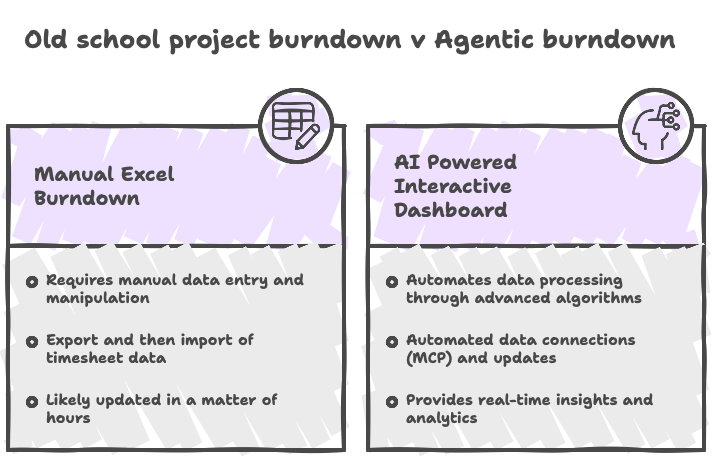
The basic premise of the article was that project budget burn-down in consulting is less like bookkeeping and more like flying a small aircraft. You take off with a known amount of fuel (your budget). You monitor what you have used (your actuals). You constantly check whether the burn rate will get you to the destination (your forecast). Miss one of these measures and the landing becomes memorable for the wrong reasons.
The fundamentals of that article are still true, but I also attached a project burn-down spreadsheet for you to use, which is sooooo old school!
It’s a bit like handing someone a chalkboard burn down when you have an Excel spreadsheet, you can do all the work (once the data is in).
Benefits of knowing your burn-down
As a reminder, there are real benefits in knowing your burn-down.
- You can put the underspend to useful work while there is still time to do something meaningful with it, whether that means redeploying your own remaining budget or helping the client make better use of funds they have already set aside and agreed to.
- You can see an overspend coming before it arrives, giving you time to do something about it. This allows you to:
- make better commercial decisions while options still exist.
- Have earlier, more constructive conversations with your client or engagement lead.
What the not-old-school way of creating a project burn-down is?
Why produce an old-school Excel sheet that you manually update from your timesheet data each week or month when you can get AI to do much (or even all) of the work for you? Here are two options.
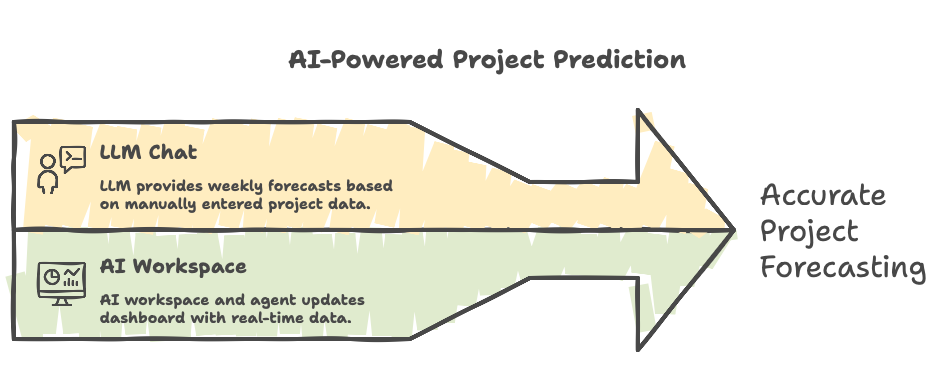
1. Use an LLM chat as a weekly forecasting assistant
Still old school, but less old school than an Excel spreadsheet. Export the approved timesheet data and paste it into your favourite LLM, along with the engagement budget, consultant rates, start and end dates, planned effort, and key assumptions. Keep that project input data in a reusable copy-and-paste block so each update only requires the latest timesheet data. Then ask the LLM to produce an updated burn-down, forecast graph, and headline view of likely underspend or overspend (see script below).
2. Use an AI workspace or agent to keep a live dashboard updated
For the more advanced version, use an AI workspace like Claude Cowork, an MCP connector, or recurring data export to connect approved timesheet data to a web-style interactive burn-down dashboard. Ask the agent to update it weekly (automated), refresh the forecast, and show whether the engagement is tracking towards underspend, overspend, or budget exhaustion. Same discipline, less spreadsheet wrestling.
I get it, this second version sounds like technobabble, so let me break it down for you.....